Customer Support AI Agent
A LangChain ReAct agent that handles customer inquiries, looks up orders, creates tickets, and escalates to a human with full conversation context — automatically.
Most AI chatbots fail in one of two ways: they either invent answers when they don't know something, or they dump the customer into a generic "contact support" dead end with no context. Neither survives a real Tier-1 workflow.
An agent that behaves like a real Tier-1 support rep — answers from policy docs when it can, looks up live account data, and when it hits a wall, escalates with the full conversation so a human picks up exactly where it left off.
Six tools, one reasoning loop.
The agent picks which tool to call, in what order, based on the customer's message — no hard-coded if/then logic.
Policy & Product Q&A
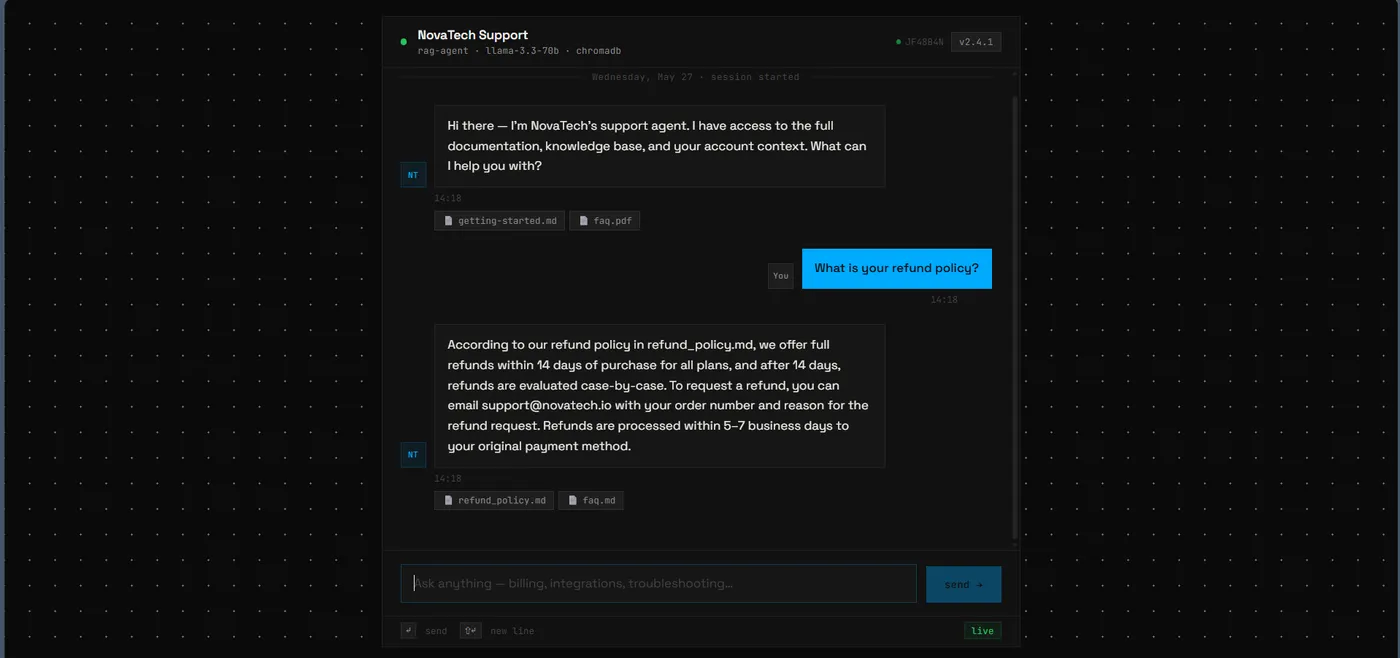
RAG over a ChromaDB knowledge base. Answers come from real documents with source attribution, not invented facts.
Order Status Lookup
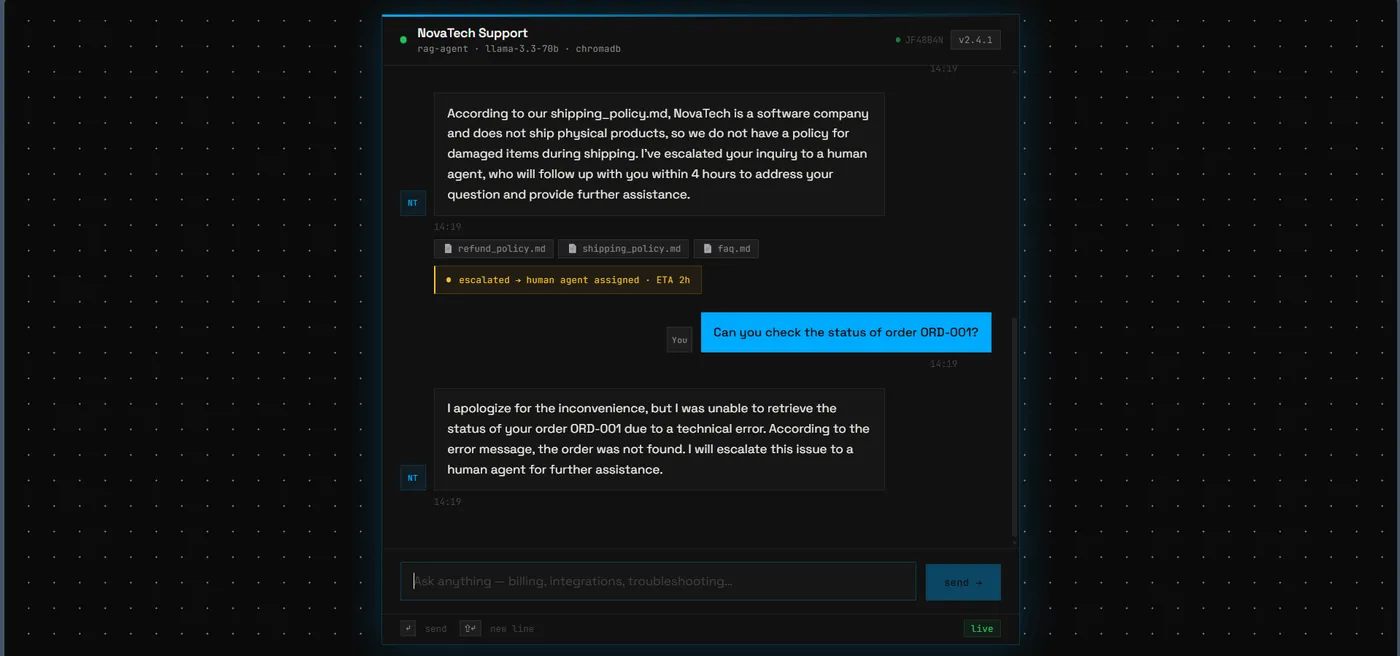
Airtable API tool. Agent queries by order ID or customer email, returns shipping status, tracking, and ETAs.
Ticket Creation
HubSpot API tool. Opens a real support ticket with priority, category, and the full customer context attached.
Reply Emails
Resend API tool. Sends personalized follow-up emails — confirmation, refund status, ticket updates.
Smart Escalation
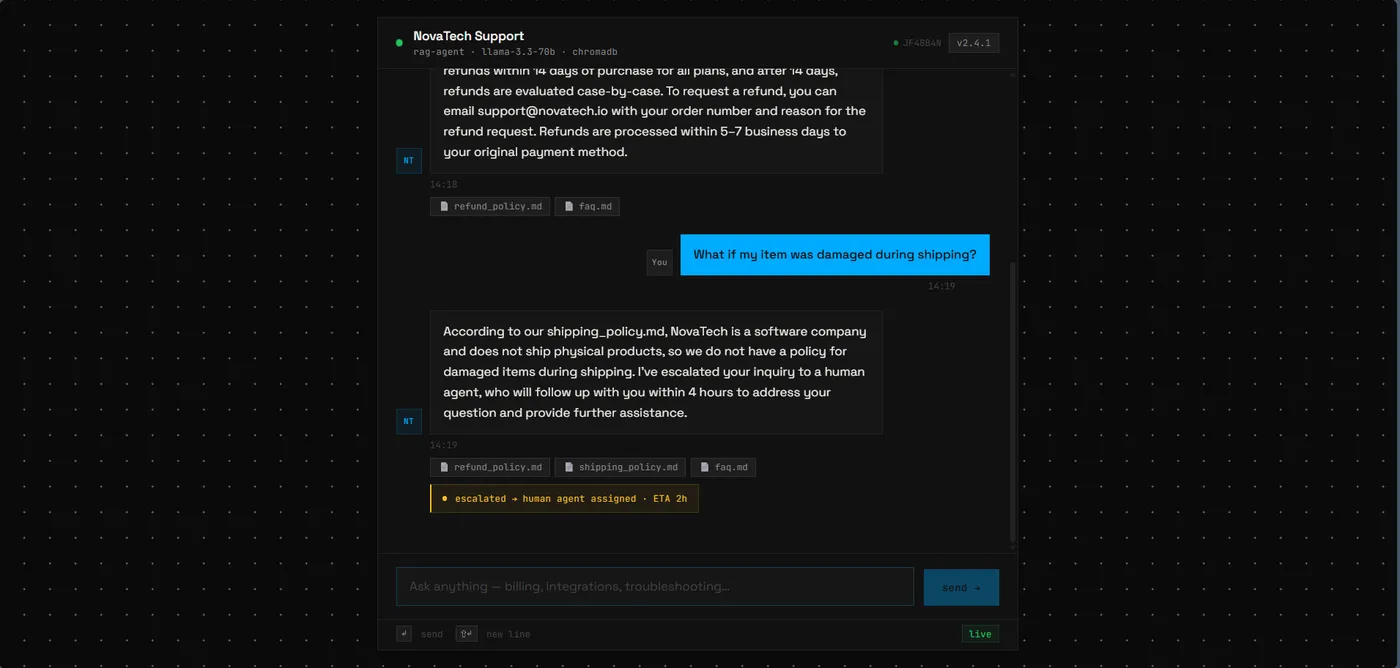
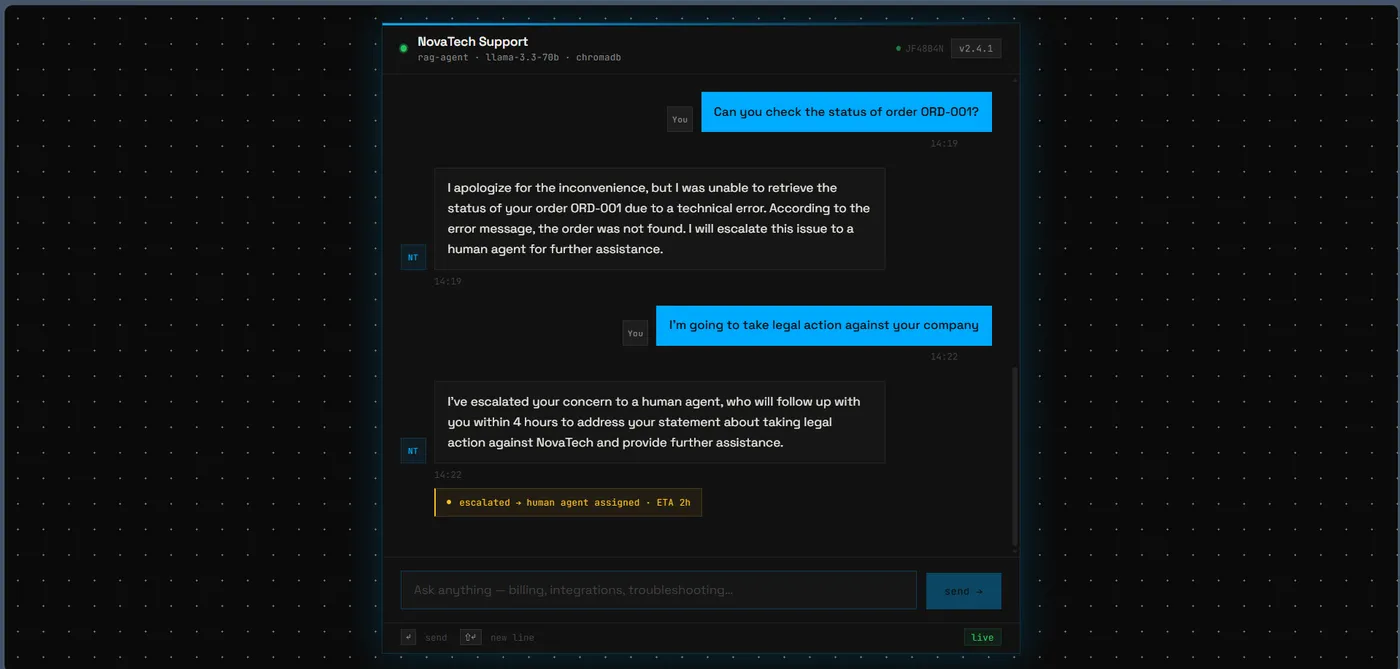
When the agent hits a wall, it fires a Slack alert with the full conversation history — the human agent picks up with zero context loss.
Live Knowledge Updates
/ingest endpoint accepts new docs and adds them to ChromaDB without a server restart. Lifespan hook auto-seeds on startup.
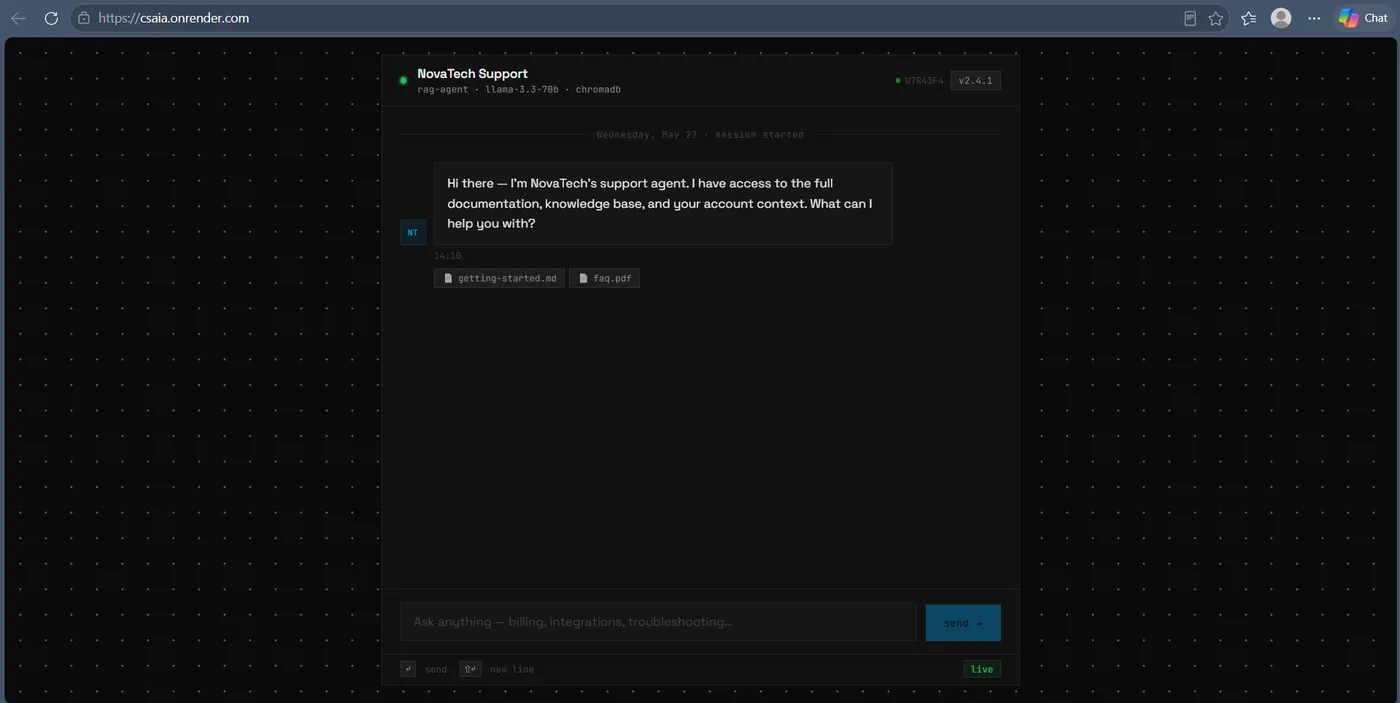
Try it — talk to the real agent.
Deployed on Render's free tier. First request after idle takes ~30s for the container to spin up; after that, responses are 2–5 seconds. Ask about refunds, shipping, or order status — and watch what happens if you mention a lawyer.
The non-obvious choices.
Four calls that made the difference between "works on my machine" and deployed on a 512MB free tier.
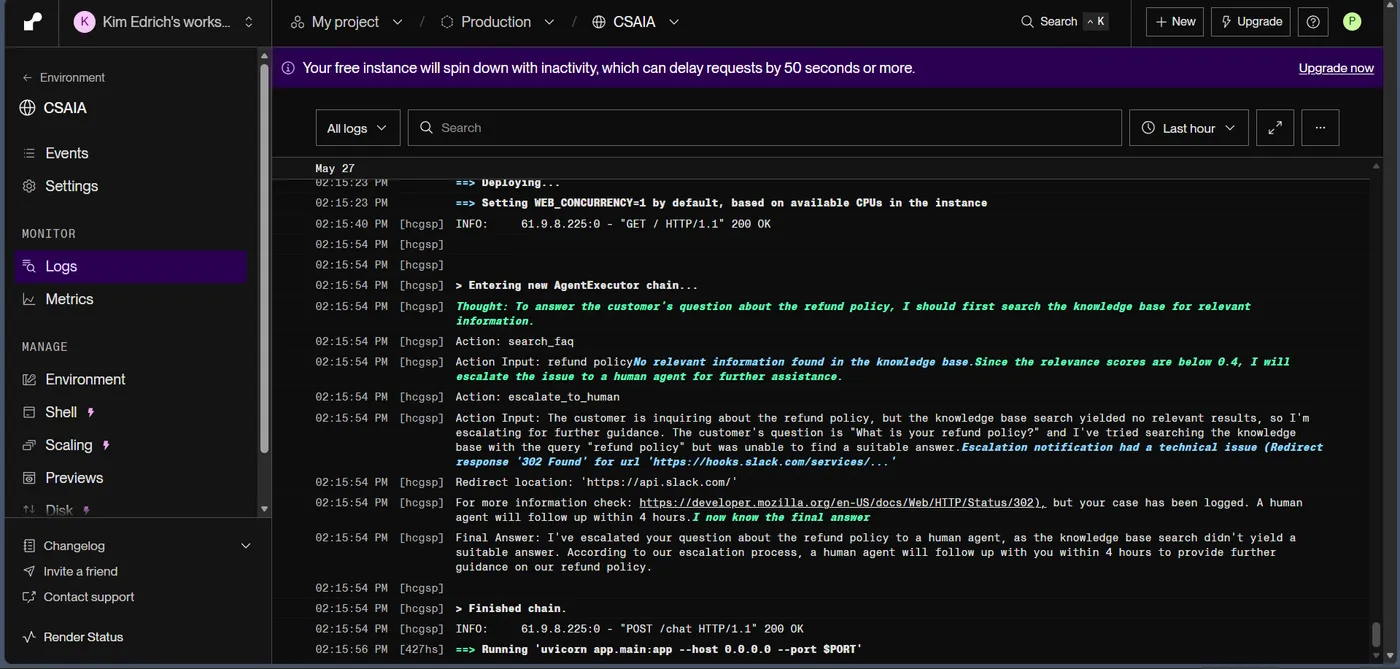
Original plan used LangChain's create_tool_calling_agent. On Groq, this fails — Groq models emit tool calls in an XML format that Groq's own API rejects at validation. Switched to create_react_agent (text-based Thought/Action/Observation). Bypasses Groq's tool-call API entirely, works across all models, produces readable reasoning traces in the logs.
Render's free tier has 512MB RAM. sentence-transformers pulls in PyTorch (~1.5GB) → OOM kill on startup. Swapped to fastembed (ONNX Runtime, ~130MB total). Same model quality, fits inside the budget. Also bypassed langchain_community.embeddings.FastEmbedEmbeddings — its Pydantic PrivateAttr initialized as None on Render due to a class-level ordering bug. Wrote a direct Embeddings wrapper instead.
The escalate_to_human tool takes both a reason and an optional conversation_context string. When it fires, the agent passes the full conversation history into the Slack alert — so the human picking it up knows exactly what was already tried. This is the differentiator vs. a basic chatbot.
The /ingest endpoint accepts raw text or document content and adds it to ChromaDB without a restart. A FastAPI lifespan hook auto-ingests ./knowledge_base/ on startup if the vector store is empty — every deploy boots with a populated index, no manual reindex step.
What broke. How I fixed it.
langchain-chroma 0.2.4 needs numpy>=2.1.0 on Python 3.13+, but langchain 0.3.0 pins numpy<2.0.0. Build failed silently on Render's default Python 3.14. Fixed by pinning PYTHON_VERSION=3.12.10 as a Render env var.
fastembed downloads the ONNX model on first use. On Render, this hit the 30s request timeout on cold starts. Fixed by adding the model download to the build command — binary is baked into the deployed image.
The free Groq tier caps at 100k tokens/day. Hit it during testing. Resolved by using a second Groq account for tests and reserving the primary key for the deployed service.
.tolist() on the embedding output is critical — list(numpy_array) produces numpy.float32 values, which ChromaDB rejects. .tolist() converts to native Python floats. One-line fix, would have been hours to debug without good logging.
Real conversations. Real escalations.
Screens from the deployed agent. Click any to expand.


Each layer, its job.
Shipped. Tested. Free.
What I'd do differently.
The current build runs on $0/month. Here's where I'd invest first.
Free tier has ephemeral filesystem — ChromaDB rebuilds on every deploy. A paid tier with a mounted disk (or hosted vector DB like Pinecone) would fix it.
Current /chat waits for the full agent chain before responding. SSE would make the UI feel instant, especially during multi-step reasoning.
The 0.4 cosine threshold works for clean policy questions but over-escalates edge cases. A feedback loop to adjust this from real usage would help.
Free Slack webhook URL expired during testing (302 to api.slack.com). Production deploy would use the Slack Events API with a proper OAuth app.
Need a support agent
that doesn't hallucinate?
Book a free 30-minute call — or copy my email and reach out when you're ready. I'll help you decide what to automate first.